Slices
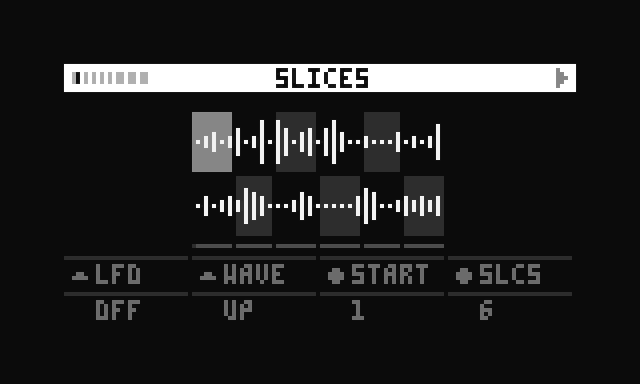
The Slices page allows cutting the loaded sample into up to 32 equal segments. Each of the six voices is assigned one slice for playback. If the number of slices is less than 6, slices are recycled across voices.
When a mono sample is selected, the selected start slice (E2) is assigned to voice 1, while each next slice is assigned to the next voice. See the screenshot below: slice 2 to 7 are assigned to voice 1 to 6.
When a stereo sample is selected, each next slice is taken from the alternating channel:
- slice 1 → channel 1
- slice 2 → channel 2
- slice 3 → channel 1
- slice 4 → channel 2
- slice 5 → channel 1
- slice 6 → channel 2
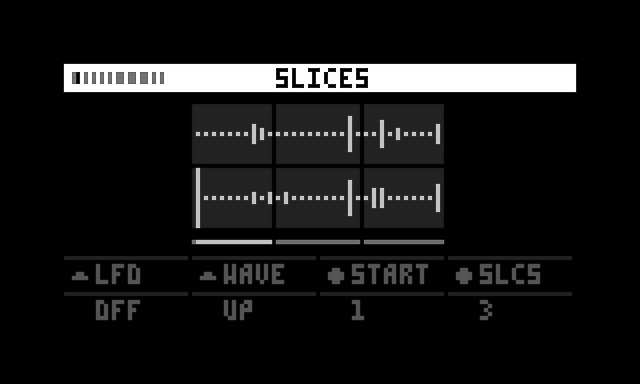
The graphic doesn't explicitly indicate which slice is assigned to which channel, but when the sequence triggers a voice, the slice flashes according to its envelope, which helps to identify which slice is being played back.
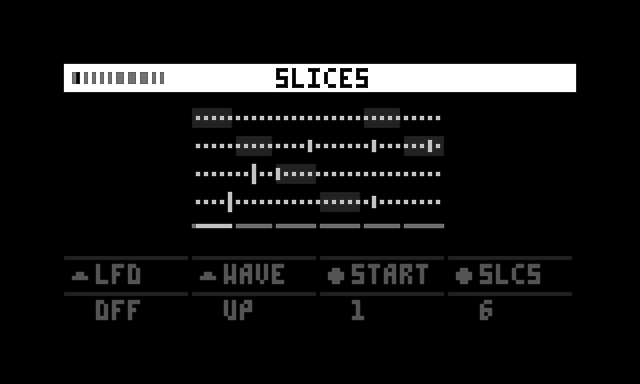
When a multichannel audio file is loaded, each next slice is taken from the next channel, wrapping around back to channel 1 when each channel has provided a slice.
For an example with a 4-channel file:
- slice 1 → channel 1
- slice 2 → channel 2
- slice 3 → channel 3
- slice 4 → channel 4
- slice 5 → channel 1
- slice 6 → channel 2
Controls
| Control | Function | Description |
|---|---|---|
| K2 | Toggle LFO on/off | Enables or disables the LFO |
| K3 | Select LFO waveform | Chooses the waveform shape for the LFO |
| E2 | Start slice | Which slice is assigned to voice 1 - when set to 2, slices 2-7 are assigned to voice 1-6 |
| E3 | Number of slices (1-32) | Sets the total number of slices available |